When you choose an IPTV plan, one of the first questions is how many connections you need. It sounds technical, but it comes down to a simple idea: how many screens in your home will be playing something at the same time. Choose too few and someone gets an error halfway through a film; choose too many and you pay for screens you never use.
This guide explains exactly what a connection is, what counts as one and what does not, how much internet speed each one needs, and how many a typical household needs, with simple examples for every kind of home.
What is an IPTV connection?
A connection is one stream playing at a time. If your plan has one connection, one screen can watch at any moment. With two connections, two screens can watch different things at the same time, and so on.
A simple way to picture it: think of connections as seats in your own small cinema. Anyone in the household can take a seat on any screen, but once every seat is taken, the next person has to wait until someone leaves.
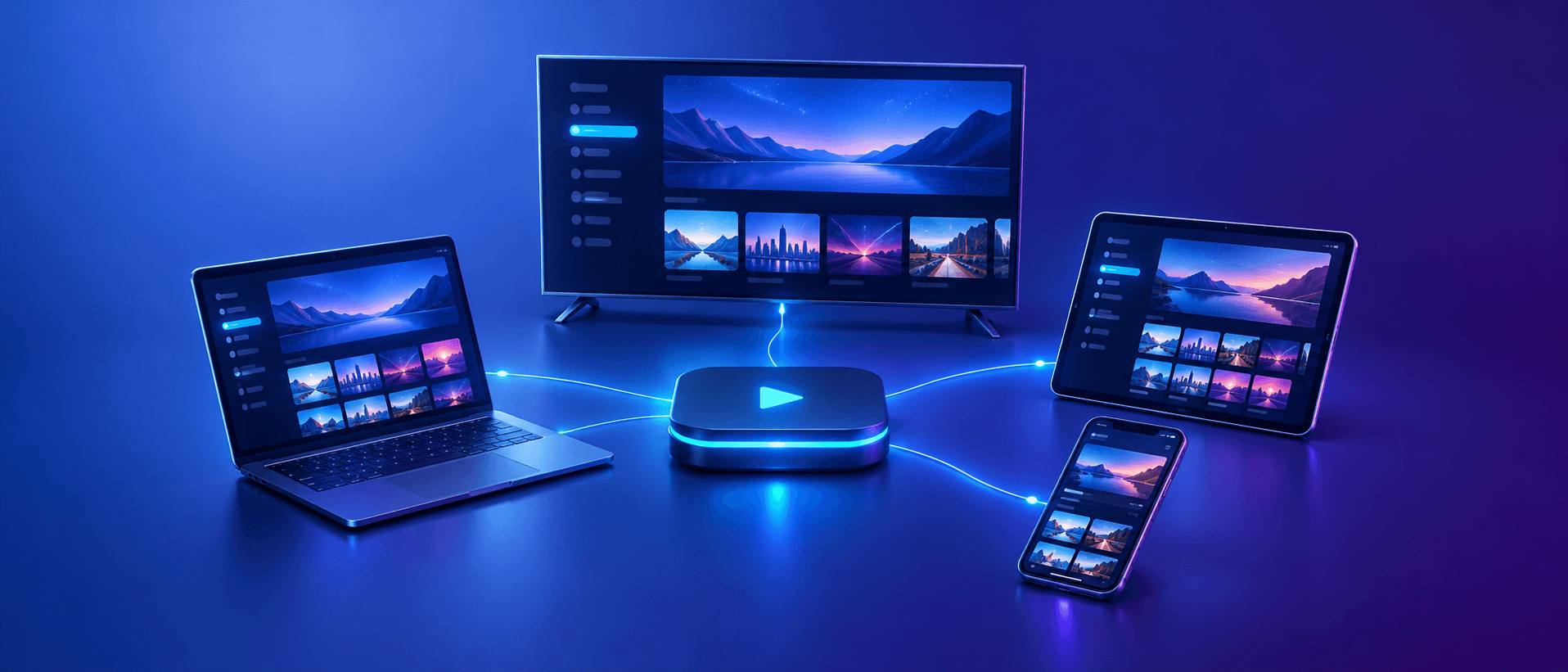
The important word is simultaneous. A connection is not a device. You can install your subscription on a TV, a Fire TV Stick, a phone and a laptop, and with one connection you can use any of them, as long as only one is playing at a time.
What counts as a connection
Each of these uses one connection while it is playing:
- A live channel playing on any device.
- A film or episode playing from the on-demand library.
- A catch-up programme playing from the guide.
- Each tile in a multi-view screen, so four channels on one TV uses four connections.
- A recording in progress, in player apps that record live TV.
What does not count
These do not use a connection:
- Installing the app and logging in on extra devices.
- Browsing the channel list or the programme guide without playing anything.
- Watching something already downloaded or recorded to the device, where the app supports it.
One thing to watch: when you stop playback, the server may take a short while to notice that the stream has ended. If you switch from the TV to your phone instantly, the old stream can briefly still count. Stop playback properly or close the app, then wait a few seconds before starting on another device.
What happens if you use too many connections
If every connection on your plan is already in use and someone starts another stream, it will not play. Depending on the app, you see an error such as "maximum connections reached", or the stream simply fails to load. In some cases the new stream starts and pushes off one already playing. Either way, it is a sign that your household has outgrown its plan.
Repeated connection errors when nobody else seems to be watching usually mean a stream was left running on another device, such as a TV left on in a bedroom. Check the other screens first.
How many connections do you need?
Count the largest number of screens likely to be playing at the same time on a normal busy evening, not the total number of devices you own. Then match it to these common households.
1 connection: solo viewers
Ideal if you live alone or only one person watches at a time. You can still use the service on every device you own, for example the living room TV in the evening and a tablet in bed, as long as you do not watch on two at once.
2 connections: couples and small households
The most popular choice for couples and two-person homes. One person can watch the match on the TV while the other watches a series on a laptop or phone. It also suits a single viewer who wants to follow two live matches at once.
3 connections: families
Right for families where the living room TV, a bedroom TV and a tablet are often in use together, or for households with teenagers who watch on their own devices. It gives everyone their own screen at peak times without arguments over the remote.
REVO IPTV plans come with one, two or three connections. If your household regularly needs more than three screens at once, contact our team and we will suggest the best setup.
Example: a busy Saturday for a family of four
Picture a typical weekend. In the afternoon, one parent watches football in the living room while a teenager streams a series in their bedroom: two connections. In the early evening the match ends and the younger child watches cartoons on a tablet while the teenager carries on: still two. Later, the parents settle down to a film on the main TV, the teenager is still watching upstairs and the youngest is allowed one more episode on the tablet: three connections at once.
The family owns six devices, but the most they ever use at the same time is three. A three-connection plan covers the whole day. A two-connection plan would work most of the time, but someone would see an error on Saturday night. That peak moment is the number to plan for.
Tips to avoid connection errors
A few habits keep connection problems away, whatever plan you choose:
- Turn off TVs and close apps when nobody is watching, rather than leaving a channel playing to an empty room.
- Stop playback before switching devices, and wait a few seconds before starting again elsewhere.
- Remember that multi-view tiles and recordings each use a connection.
- Keep your login details within your household, so unexpected streams do not use up your connections.
- If errors appear when nobody else is watching, restart the app on each device to close any stuck streams.
Internet speed for multiple connections
Every stream uses its own share of your broadband, so more connections need more speed. As a rough guide, each stream needs about:
- HD (720p): around 5 Mbps
- Full HD (1080p): around 8–10 Mbps
- 4K: around 25 Mbps
Add the figures together for the number of streams you plan to run at once, then leave some headroom for phones, video calls and gaming. For example, three Full HD streams need about 30 Mbps, so a 50 Mbps connection is comfortable while 30 Mbps would be tight at busy times. Use a wired connection for the main TV where possible. If streams buffer when several are running, our guide to fixing IPTV buffering explains how to free up capacity.
Multi-view: several channels on one screen
Some player apps can show two or four channels on one screen at the same time, which is popular on busy football nights. Remember that each tile is a separate stream, so four tiles need four connections and four times the internet speed. Our guide to watching the football season on IPTV covers multi-view and match-day setup in more detail.
Why a multi-connection plan beats separate subscriptions
You could buy a separate single-connection subscription for each person, but a multi-connection plan is simpler and cheaper. You manage one account, one renewal date and one set of login details, and the price per screen is lower than buying each connection separately. You can compare the prices for one, two and three connections on our pricing page.
How to upgrade your connections
If your household grows or you keep seeing connection errors, upgrading is quick. Message our support team with your username and the number of connections you need, and we will tell you the cost and switch your account over. Your login details stay the same, so there is nothing to reconfigure on your devices.
Conclusion
A connection is one stream playing at a time, not one device. Count the most screens your household uses at once on a busy evening, check that your internet speed can handle that many streams, and choose a plan to match: one for solo viewers, two for couples and three for families.
Still unsure? Our multiple connections page compares the options side by side, or you can request a free trial of REVO IPTV and test it on your own devices first.
Frequently asked questions
Can I install IPTV on more devices than my connections?
Yes. Connections limit how many streams play at the same time, not how many devices you install the app on. With one connection you can use any of your devices, one at a time.
Does pausing a stream free up a connection?
Not always, because a paused stream may still be open. Stop playback or close the app, then wait a few seconds before starting on another device.
Does catch-up or on-demand use a connection?
Yes. Anything that plays from the service uses a connection while it is playing, whether it is live TV, catch-up or a film from the on-demand library.
How much internet speed do I need for three connections?
About 30 Mbps for three Full HD streams, or around 75 Mbps for three 4K streams, plus headroom for other devices in your home.
Can I add a connection later?
Yes. Contact support with your username and the number of connections you need. Your login details stay the same after upgrading.